
How to identify malicious emails and protect yourself online
In today’s digital-first business environment, email is both a powerful communication tool and a major security risk. Cybercriminals increasingly rely on deceptive messages to trick professionals into revealing sensitive data, transferring money, or installing malware. Understanding how to identify malicious emails and protect yourself online is no longer optional—it’s an essential business skill.
Understanding Malicious Emails
Malicious emails are designed to deceive recipients into taking harmful actions. These messages often look legitimate, using familiar logos, professional language, and trusted names.
What Makes an Email Malicious?
A malicious email typically aims to:
- Steal login credentials
- Trick you into transferring funds
- Install harmful software
- Gain unauthorized access to systems
They often exploit human psychology—fear, urgency, curiosity, or authority.
Why Business Professionals Are Targeted
Business owners manage finances, contracts, and sensitive data. Attackers know that professionals are busy and may act quickly without double-checking details, making them prime targets.
Common Types of Malicious Emails
Phishing Emails
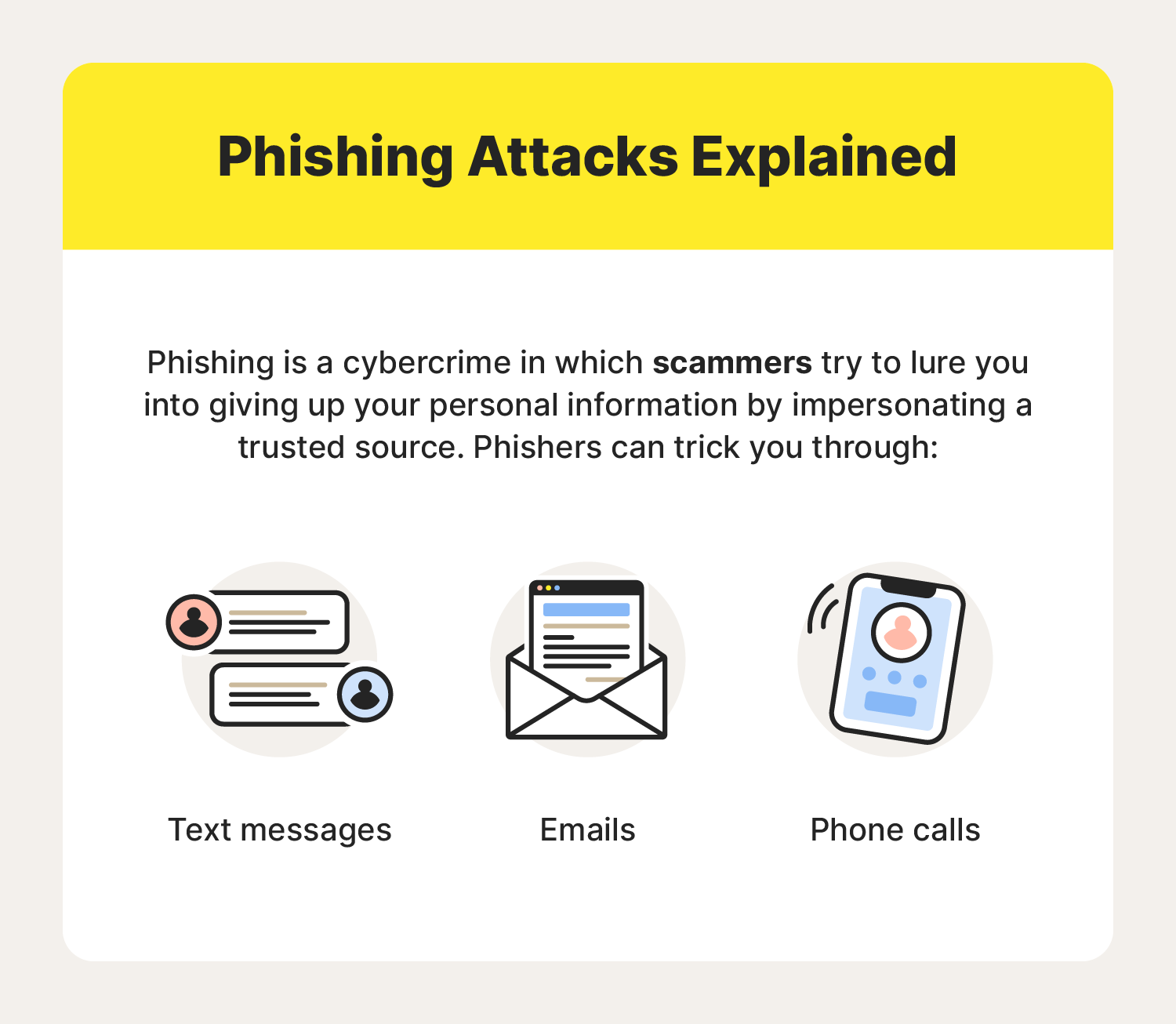
Phishing emails impersonate trusted organizations such as banks, vendors, or cloud service providers. They often ask you to “verify” or “reset” account information via a fake link.
Spear Phishing and Whaling
- Spear phishing targets a specific individual using personalized information.
- Whaling targets executives or business owners with high authority, often involving fake invoices or legal notices.
Malware and Attachment-Based Attacks
Attachments disguised as invoices, resumes, or reports may contain malware that installs silently once opened.
Key Warning Signs of Malicious Emails
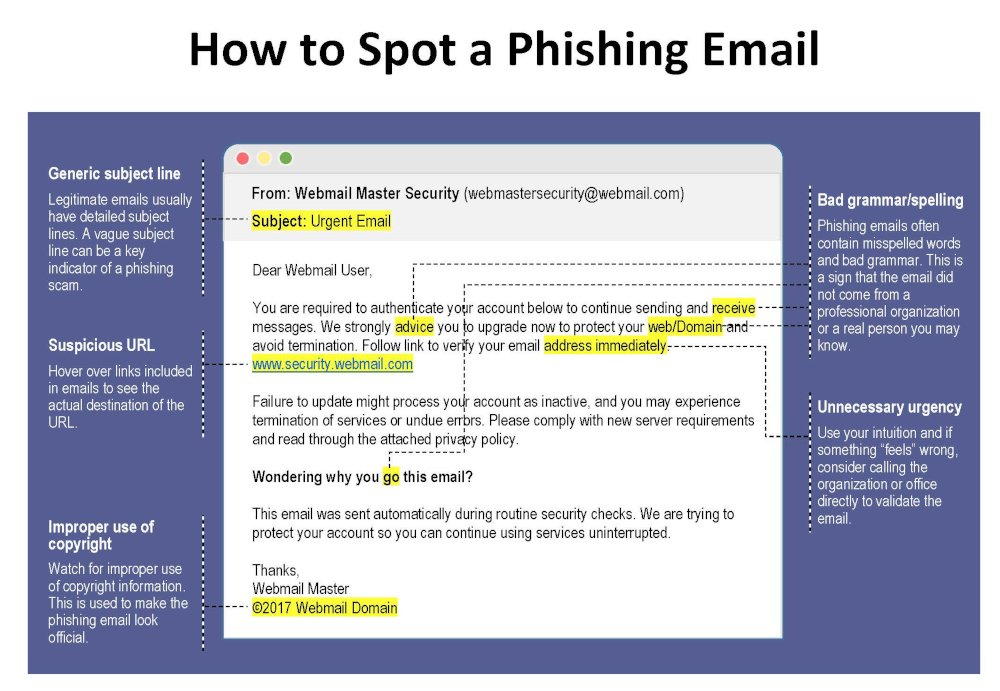
Suspicious Sender Information
Look closely at the sender’s email address. Attackers often use domains that closely resemble legitimate ones (for example, @paypa1.com instead of @paypal.com).
Urgent or Threatening Language
Messages claiming “your account will be closed today” or “immediate action required” are classic red flags.
Unexpected Links and Attachments
If you weren’t expecting a file or link, don’t click it—especially if the email pressures you to act fast.
How to Identify Malicious Emails and Protect Yourself Online
This is the core skill every professional must master.
Verifying Senders and Domains
- Hover over the sender name to view the real address
- Compare the domain with previous legitimate emails
- When in doubt, contact the sender through a known channel
Safely Inspecting Links
Hover over links without clicking. If the URL looks strange, misspelled, or unrelated, it’s likely malicious.
Using Email Security Tools
Modern email platforms offer spam filters, phishing detection, and warning banners. Enable all available security features and consider advanced email security solutions for business accounts.
Best Practices for Online Protection
Strong Password Management
Use long, unique passwords for each account. A reputable password manager helps store and generate secure passwords safely.
Multi-Factor Authentication (MFA)
MFA adds an extra layer of protection by requiring a second verification step, significantly reducing the risk of account compromise.
Regular Software Updates
Outdated software often contains known vulnerabilities. Keeping systems updated closes security gaps attackers exploit.
Email Security for Business Owners
Employee Training and Awareness
Human error is one of the biggest cybersecurity risks. Regular training helps staff recognize threats and respond correctly.
Company Email Policies
Establish clear rules for handling invoices, payment requests, and sensitive data. For example, require verbal confirmation for financial transactions.
What to Do If You Receive a Malicious Email
Immediate Actions
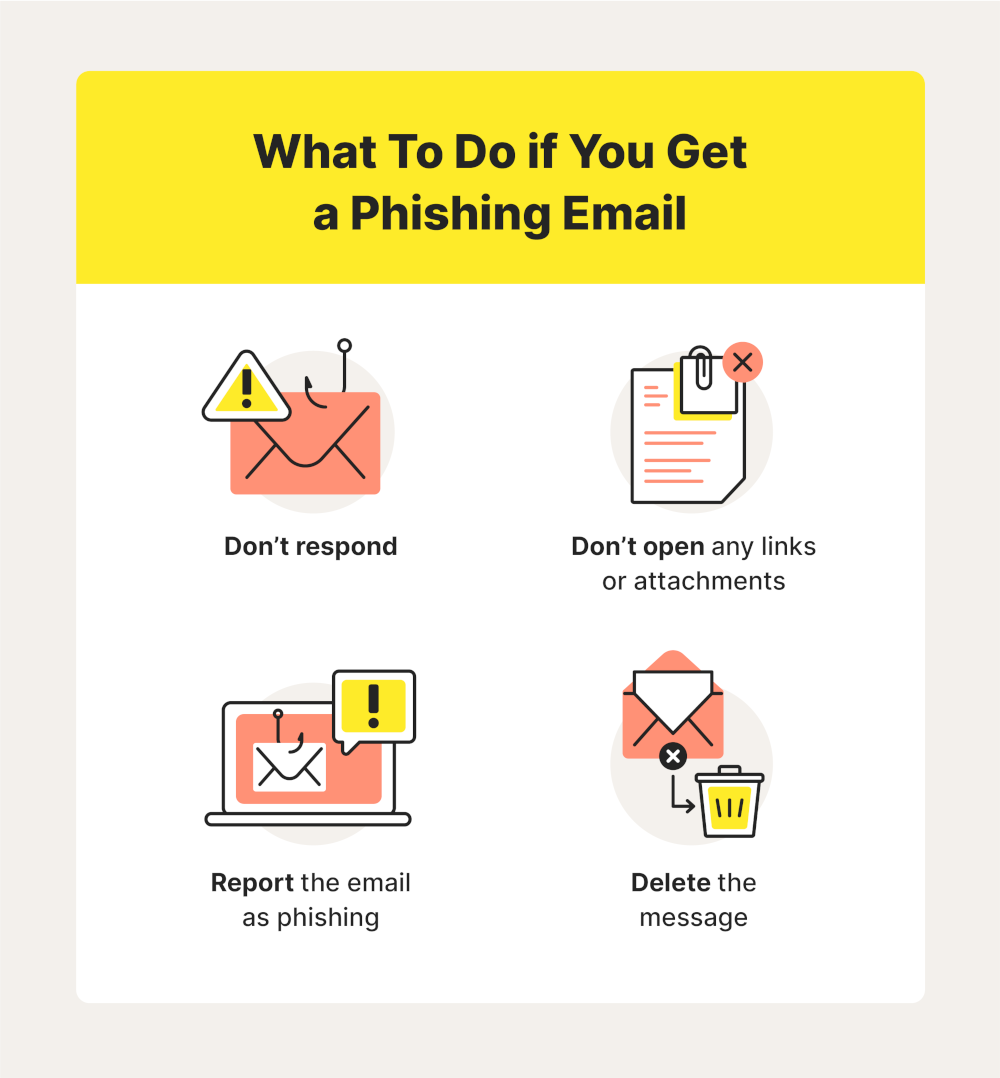
- Do not click links or open attachments
- Do not reply to the message
- Mark the email as spam or phishing
Reporting and Recovery
If you accidentally interacted with a malicious email:
- Change affected passwords immediately
- Inform your IT team or service provider
- Monitor accounts for unusual activity
For authoritative guidance, consult resources from organizations like the U.S. Cybersecurity and Infrastructure Security Agency (CISA) .
Frequently Asked Questions
1. How can I quickly tell if an email is malicious?
Check the sender address, look for urgent language, and avoid clicking unexpected links or attachments.
2. Are malicious emails only a problem for large companies?
No. Small and medium-sized businesses are frequent targets because they often have fewer security controls.
3. Can antivirus software stop malicious emails?
Antivirus helps, but it’s not enough on its own. Awareness and safe habits are equally important.
4. Is it safe to open email attachments from known contacts?
Not always. Known contacts can be compromised. Always verify unexpected attachments.
5. How often should employees receive security training?
At least once or twice a year, with additional updates when new threats emerge.
6. What’s the biggest mistake professionals make with email security?
Acting too quickly without verifying the request.
Conclusion
Learning how to identify malicious emails and protect yourself online is a critical responsibility for modern business owners and professionals. Cyber threats continue to evolve, but so can your defenses. By recognizing warning signs, verifying messages, and adopting strong security practices, you significantly reduce your risk of falling victim to online attacks.
Staying cautious, informed, and proactive is the best long-term strategy for protecting your business and professional reputation.
Contact DuLac Networks to learn more about how to protect your business online.